Monday, February 01, 2010

Twiguard update week 4 and final week.


Although this update was a little late the analysis ran at the correct time and produced its results. 1239 bad urls in the list with 876 of them being new. That is almost 70%. The chart to the left shows the progression from week one of total flagged URLs in red with the unique URLs that week in blue. After 4 weeks they almost intersect and at this rate I am guessing that they will intersect in the next few weeks. This goes along way to showing that URL blacklisting alone is not fast enough to stop a spread on malware on a social network like twitter.

There are alot of reasons that can explain the numbers with one being that although we captured the URL weeks ago it didn’t start hosting malware until recently. Keep in mind though that the purpose of this experiment is to judge how quickly traditional blacklists can respond to malware spread with Twitter. Although Safe Browse may have flagged a URL as bad this week that doesn’t mean it was serving malicious content when it was first captured by Twiguard. In this experiment the majority of bad urls captured (58.6%) are hosted in Brazil. On Sunday the 7th twiguard will capture another 24 hours worth of URLs and make them available to anybody who wishes to duplicate this experiment.

Friday, January 22, 2010

IE 0day failures

I wanted to comment on three failures related to the recent IE 0day.

FAIL #1 - REPORTERS

The blogosphere started debating the merits of German and French recommendations that users dump Internet Explorer.

However, those governments made no such recommendations. Their Internet security agencies recommended that users switch browsers TEMPORARILY, until Microsoft fixed the bug. It is a reasonable thing to recommend: if hackers can easily break in to a software application, it is reasonable to recommend that you stop using that application until the problem is fixed. Implicitly, they both recommended going back to IE once Microsoft fixed the problem.

I tracked back to find the source of these false claims. They appeared to come this story from Tony Bradley at PCWorld where he misrepresents what Germany/France have said. Yet, he references two stories (here and here) that get their facts right.

For the record, the German bulletin from BSI says "Therefore BSI recommends that until Microsoft makes a patch available, to use an alternative browser". The French bulletin from Certa says "Pending a patch from the publisher, Certa recommends using an alternative browser". (I speak both French and German, these are the correct translations).

FAIL #2 - US-CERT

The equivalent of the German BSI and French Certa is the US-CERT. What did they say about the issue?

I went to their page at http://www.us-cert.gov/ and found nothing. Their National Cyber Alert System ignored the issue. They didn’t publish an advisory until AFTER Microsoft published a patch on January 21.

That's bad, really bad. This IE bug was big. IE6, the one most commonly exploited, has 20% market share, and an versions combined of IE have over 60% mare share. US-CERT should have created a bulletin telling people hackers were widely exploiting browsers with this bug.

The measure of an "emergency response team" is not how well they respond to "normal" events, but how well it respond to "emergencies". The US-CERT does a lot of good work for computer security, but they failed at responding to this emergency. This is a problem, one that that cyber czar should look into.

FAIL #3 - Microsoft?

The bug itself isn't a failure. Bugs happen. Nobody has figured out how to create bug free software. In fact, Microsoft is probably the best in the industry at ridding their code of such bugs, with things like the SDL and operating-system protections like DEP.

Yet, it took a full week to release a patch for this bug, and it appears that Microsoft knew of the bug months ago. That’s a big window for an 0day out in the wild.

Microsoft used to respond faster, but their response time for major vulnerabilities is getting worse every year. That is because they employ directory or indirectly half of the security industry, and influence the other half. If Microsoft drags its feet not fixing a bug, and a researcher gets frustrated and publishes the bug, Microsoft will blackball them from the industry. Researchers keep quiet because they are afraid of Microsoft.

I know this because that's what Microsoft has threatened me with. We found a trivial Wifi vuln in Windows Mobile several years ago. It was never patched, largely because the mobile provider (Cingular, now AT&T) refused to patch it. Since we could not publish the bug until after the patch, this meant we could never publish the bug. We know of lots of researchers finding bugs in Windows Mobile that never get published for precisely the same reason.

It's a reasonable stance for Microsoft to take. There are lots of evil researchers who try to create havoc by making it difficult for vendors to fix the bugs they discover. Some bugs are difficult to fix, and indeed may take a year to fix, during which time the researcher shouldn't release details. Yet, Microsoft has successfully driven this idea too far the other direction, with the consequence that they are taking too long to patch bugs.

Another problem Microsoft has is "out-of-band patches". In theory, they patch precisely 12 times a year, on the second Tuesday of the month. Patching bugs at irregular times was expensive for them, and since each patch was a surprise to their customers, expensive for their customers. This schedule is cheaper and easier for everyone.

Yet, there are still surprises. I forget, but I think there were three out-of-band patches last year, and now one so far this year.

So, I asked Microsoft what they had budgeted for out-of-band patches. Microsoft’s response was nothing, because such out-of-band patches should never occur. I was surprised by the answer: emergencies will continue to occur, and Microsoft should plan for them. I would bet money that another IE 0day is going to occur in the next 12 months, Microsoft should plan for that as well.

Microsoft is still the best at eliminating bugs and responding to them, but I would call their response to this IE bug a failure. Moreover, Microsoft is getting worse every year at responding to bugs, not better.

UPDATE: The above text about Microsoft is pretty harsh, but I'd like to repeat that Microsoft is still the best at eliminating bugs and responding to them. Also, I like Microsoft, and I believe they are as an ethical and moral company with occasional lapses by individuals, as opposed to a company like Apple which is unethical from the top down. I'm afraid of Microsoft not because they are a lion that might eat me, but because they are an elephant that might step on me by accident.

Tuesday, January 12, 2010

Twiguard update week 3

Lets recap: the first week of our test we got 1250 hits, the second week netted 1741. The third week total is 1427. At first this seems like the number is dipping until you factor in sites being removed from the blocked list. Of the 1427 more than half are Urls that were not flagged last week. 784 URLs were flagged this week that were not flagged last week while several URLs are no longer flagged as malicious. Next week is the last week for this exercise. After that we will start over with a set of URLs that are publicly available so anybody can duplicate my effort.

The point of the exercise is to judge how well a traditional "bad site list" can keep up with the way threats from social networks like Twitter can spread.

Wednesday, January 06, 2010


Its awesome how accurate TwiGUARD is at picking out Spammers, here is an example. Below is the TwiGUARD stats we collected on this account...
ID:Username:First Seen Date:Last Seen Date:Folscore
| 174597 | BTLife7 | 2010-01-06 19:24:00 -0500 | 2010-01-06 19:24:00 -0500 | 100 |

Keep in mind a folscore of greater than 75 is considered bad.

Tuesday, January 05, 2010

Decrypting USB flash drives is easy

According to this Slashdot article, a company has successfully decrypted USB flash drives. In our experience, this is probably true. Several years ago, we put a USB sniffer on the bus and found that most USB flash drives can be trivially broken.

It's a familiar story. Hackers don't break encryption, they break how encryption is used. In this case, hackers didn't break AES, they broke the fact the vendors didn't encrypt the drive with the password.

This is why you should distrust marketing messages like "military grade encryption" or "FIPS certified encryption". Sure, the encryption is secure, but that doesn't mean the vendor hasn't done something boneheaded, like leaving the password in clear-text.

If you are concerned about your USB drive, the easiest way to check it is to use a USB sniffer. There are lots of freeware and open-source products, as well as expensive hardware sniffers. You can check what is being sent to the drive in order to decrypt it. We have seen all sorts of weird things, such as the software asking the drive for the password (which we then see being sent in the clear over the USB bus). In this case, it appears that the software asks the drive if the password is correct, but then unlocks the drive using a fixed string.

There are only a few chipsets out there for USB drives. Regardless of the vendor name and the case on the outside, most drives are often the same on the inside. This is why there is a chain of failure. A vendor like Kingston doesn't know the innards of the chip. They simply build a product around it, and ship it through their channels. They trust that the chipset vendor knows what they are doing. This is why you can never trust encrypted USB drives: there is nobody that stands behind them. It would suggesting using a product like TrueCrypt or PGP disk on top of the flash drive, because these guys do stand behind their encryption.

Twiguard update week 2

In a follow up to last weeks post on how quickly established blacklist systems can respond to social networking threats I have rerun the same list of URLs through an updated Google Safe Browse install. Last week this list produced 1250 hits, this week it has produced 1741 hits. That is around a 39% increase in a week. This alone is not bad but if you think about how quickly a scammer of phisher can set up a new site and lure in victims even a few hours can make a big difference in curbing infections. I will rerun this test in a week and report the results, by then I should have enough data to start creating pretty charts!

Twiguard does more than just collect bad urls, it collects bad users as well. We have created a formula for evaluating a Twitter profile and their 20 most recent tweets and assigning them a score between 0 and 100. The closer to 100 the score is the more likely the profile is a spammer/malware/somebody you don’t want to talk to. We call this score the "follow score" or folscore in programs. Below is a screen shot of out database where we have tracked unique users for 8 hours. We ended up with 61255 users of which 5144 had a score of 75 or higher. Anything above 75 is our threshold for confidently marking a profile as dangerous. The average profile score is 9 with about 8% of all observed users falling into the over 75 range. We are constantly tweaking the algorithm when we find false positives or statistical outliers. At this time all the users that have been identified spreading banned users have a follow score of 90 or higher so I am feeling confident about the accuracy.


As an example my Twitter account is donicer and I have a score of 4 and I am almost positively sure I am not a spammer!

Tuesday, December 29, 2009

TwiGUARD update


Several months ago we announced TwiGUARD, a project researching how hackers spread malware/spam via Twitter. We believe that defenses like SafeBrowse (a Google feature that tells you when URLs are malicious) react too slowly. We are starting an experiment today that shows this, whose results we'll post in two months.

Social networking sites are the new front in the computer virus war. Previously, users would check a webpage (such as CNN or Slashdot) only once a day. Now, users check Twitter or Facebook several times an hour. (I am a good example of this, checking Twitter every ten minutes throughout the day). This means a piece of malware can spread quickly among Twitter users, faster than a security mechanism (like SafeBrowse, or updates to virus signatures) can respond.

Google's SafeBrowse is based on its search engine spider. When it comes across a site distributing malware, it adds that site to black-list. Browsers like Firefox downloads black-list updates every 30 minutes. When a user innocently clicks on a link to one of these bad sites in the black-list, Firefox will display a warning instead.

There is a race between how fast hackers can distribute malware on Twitter, and how fast Google's spider can find them, update the list, and distribute that list to browsers.

We have devised an experiment to test this speed. We downloaded all the tweets from yesterday (December 28, 2009) that contained URLs, and saved them to a file. This file contains half a million (504,489) URLs.

After downloading the list, we ran it through Google's SafeBrowse. It told us that about a thousand (1,250) of those URLs were bad.

Next we are going to wait a week and run the same list of URLs again through SafeBrowse. We expect that Google will have found more of them to be bad. We expect the number of bad URLs found in that file will double or triple. We will run the December 28 list through SafeBrowse every week for the next two months. We should see a steady rise in SafeBrowse claiming URLs are bad.

While we have done this informally in the past, this is the first time we are tracking the results. We'll post them in two months.

Monday, December 28, 2009

Daemon: Don't mess with John Carmack

Over Christmas I read Daemon by Daniel Suarez. I saw an advertisement in the latest Wired for its sequel, Freedom, coming on January 7th, so I thought I would give the first book a try. The plot revolves around a dead video game programmer releasing the mother-of-all botnets that recruits a gang of conspirators to take over the world. I found the book to be a fun, quick read. Aside from the botnet with world domination goals, I was struck by how technically accurate the hacking portions of the story are written. The author describes different attacks ranging from buffer overflows to SQL injection with pretty dead on accuracy. One of the characters exploits an injection with a '1=1 string! Ideas like DDoS and kernel rootkits are integral plot points but never get bogged down in semantic details. Augmented reality even makes an appearance near the end. I really enjoyed the book. I would suggest it to anybody who likes detailed fiction in the vein of Tom Clancy or Michael Crichton.

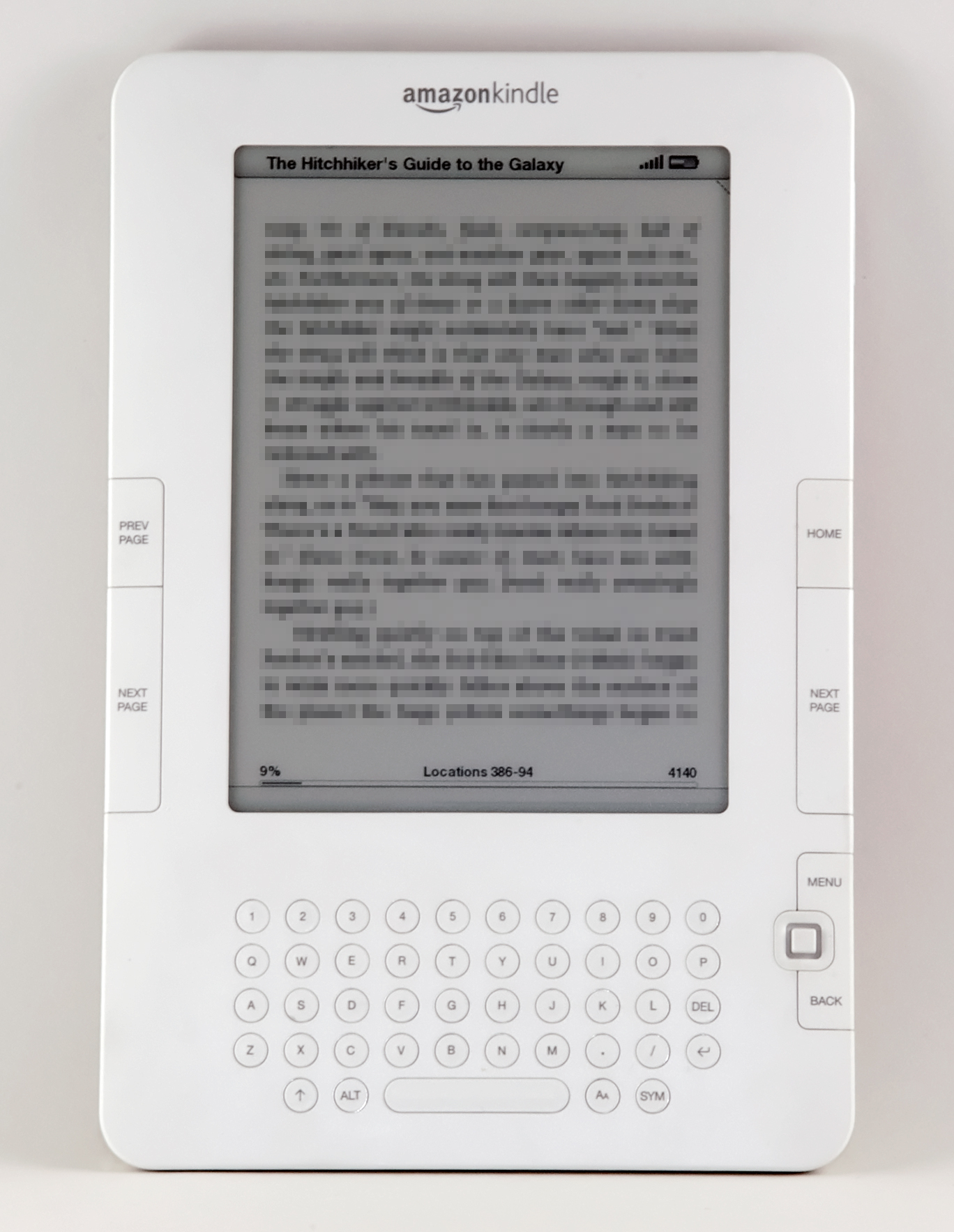
I have already pre-ordered the sequel which is released on January 7th (and downloaded to my Kindle at 12:01am that morning).

Tuesday, December 08, 2009

Xmas: netbook gift


Like the Kindle, netbooks are going to be a popular gift for Xmas. Also like the Kindle, you should understand their limitations - there's a good chance the recipient won't like the limitations.

The primary limitation of a netbook is speed, no CD-ROM, and keyboard/screen size. In exchange, you get increased portability and longer battery life. You can't play games well on it, but you can carry it with you wherever you go and sit for hours in a café typing away.

Friday, December 04, 2009

Shodan scares me

One of the problems of being white-hat hacker is that we scare ourselves. Such is the case of the "Shodan" engine that was released last month. It's a simple idea, one that has been discussed before. It simply scans the Internet for likely web server ports and indexes the HTTP headers that come back. Now that somebody has actually done it, and we can play with it, we find it's a lot scarier than we had imagined.

What this means is that instead of finding an exploit that works on a target system, you can grab any exploit then find a system vulnerable to it.

Thursday, December 03, 2009

Ironic...


"It's what you do next that counts"

It seems that Accenture is a bit of a precog. Although Tiger Woods is the best baseball player of all time. Since Mr. Woods problems are a private matter and have nothing to do with cybersecurity, I will not comment any further than to say this ad gave me a chuckle!

Xmas: to Kindle or not to Kindle


Xmas is coming up quick, and people are asking me whether they should get eBook readers as a present, specifically the Kindle.

First of all, if they don't read at least one book a month, then it wouldn't be a good gift. It's like exercise equipment: if you don't already exercise, then getting exercise equipment won't make you exercise. Getting somebody a Kindle won't make them start exercising their brain.

Thursday, November 26, 2009

Xgiving: Fixing the TV

Thanksgiving is not simply a ritual of coming together at grandma’s house for a meal, but of also fixing the grandparents electronic equipment. In the past, it meant fixing the blinking 12:00 time on the VCR, either by setting the time, or more often putting a piece of tape over it.

These days, it’s more complex. If you are like me, when they turn on the TV and start watching a standard definition TV (480i), you get a little annoyed. Why aren’t they watching the same channel in high definition (720p or 1080i)?

The solution to this problem is easy: parental controls. Simply use the parentl control feature to lock your parents out of the standard definition channels, forcing them to watch the same channels in high definition. Just sneak out quietly between the turkey and the pumpkin pie. After dinner, when the family convenes to watch a “Charlie Brown Thanksgiving”, you’ll be able to watch the show in its high def glory.

PS: While fiddling with the TV, you might want to disable South Park too. It’s not age appropriate for anybody over 60.

Tuesday, November 24, 2009

Climategate hack used open proxies

More details are emerging about the "Climategate" hack. It appears that the hacker used an "open proxy" in order to hide the origin of the attack. However, the hacker may have made a mistake, and a review of the logs at RealClimate and ClimateAudit may reveal his/her identity.

Friday, November 20, 2009

Hacker exposes global warming researcher (Climategate)


Hackers broke in and revealed the private e-mails of Phil Jones (NYTimes, BBC ), a famous climatologist. This is going to be one of the most politically relevant hacks of the last few years. When hackers broke into Sarah Palin's e-mails during the presidential campaign, they failed to find any interesting dirt. Phil Jones' e-mails, though, are full of dirt. There's no proof of a "conspiracy" or "cover-up", but a lot of the e-mails look bad for Jones and some of his fellow researchers.

As a cybersecurity expert and a climate skeptic, I thought I'd give some background on what happened.

10 Facebook Don'ts


Facebook is more popular than ever. The site frequently goes through
changes, but how many people use the same schedule of improvements on
their own profile? The new features added to Facebook are opening new
windows for vulnerability. A compromised account is a backdoor to more
serious attacks on email or banking.

Today I will show you 10 things
you should stop doing on Facebook in order to take back your security
and close the open door.

Monday, November 09, 2009

Law & Tech Geek Alert: Future of Software and Technology Patents in Supreme Court's Hands

by Elizabeth Wharton **

The future of thousands of technology patents is playing out in front of the Supreme Court today. At stake are patent protections, possible infringement lawsuits, and millions of dollars of profits to inventors. The Bilski case asks the Supreme Court to determine whether business-methods (those that are more of a mental-process as opposed to those tied to manufacturing or a tangible product) may be patented. Starting with the State Street Bank decision in 1998, the Federal Circuit recognized that software programs that transform data, but do not physically transform an article or create a machine, are patentable. Thousands of patents were issued to technology companies, researchers and innovators based on this decision.

When Bernard Bilski’s and Rand Warsaw’s patent application for a unique set of mathematical formulas to crunch numbers and manage risks associated with weather patterns and utilities was rejected 13 years ago, a landmark patent case was born. The patent office determined that their process dealt with solving a purely mathematical problem and rejected their application. Mr. Bilski and Mr. Warsaw fought for their patent all the way through the court system. In October 2008, the Federal Circuit upheld the patent office decision, reigning in their earlier State Street Bank decision, and determined that an application must meet a machine or transformation test in order to be patentable.

The Federal Circuit's Bilski decision marked a dramatic shift from the past ten plus years and sparked a controversy in the current technology innovation era - not only for software companies but also biomedical and technology companies. Over 67 amicus briefs were filed in connection with the Bilski case. Among those filing briefs in support of one side or the other in Bilski are the likes of computer and technology giants IBM, Novartis, Microsoft, Google, Symantec Corp., and others such as Bank of America and clothier L.L. Bean. At risk are software, technology, and biomedical patents held by such companies as IBM, Nortel, Medtronics, and many others. As pointed out by Judge Newman in her dissent, many technology innovations and inventions today are novel ways to approach data and information.

Narrowing technology patents to exclude processes that produce a “useful, concrete, and tangible result”, per the State Street Bank decision, will stifle technology innovation and product development. More and more users will listen to a presentation, take out the original and unique content, and ultimately circumvent the inventor. The inventor of this content will not have the patent protections for their unique solutions and ideas. Part of the inventor’s incentive in working to develop the solution has been stripped away.

The amicus briefs and legal arguments today are just the start of the Supreme Court’s review of the case. Legal geeks and technology geeks, along with thousands of patent holders, will be anxiously watching and waiting for the Supreme Court’s final decision in the months to come.

(For more in-depth discussions about this case and intellectual property law, I recommend the following websites - Law.com and IPwatchdog.com.)

** Reminder, these are just my thoughts and are not intended to provide advice, legal or otherwise. While I am a lawyer, I am not your lawyer.

How to change iPhone passwd


Jailbreaking an iPhone installs SSH with a default password of "alpine". Most people don't change the password. Thus, some hacker has written a worm (called "Ikee") that travels via SSH from iPhone to iPhone using that password.

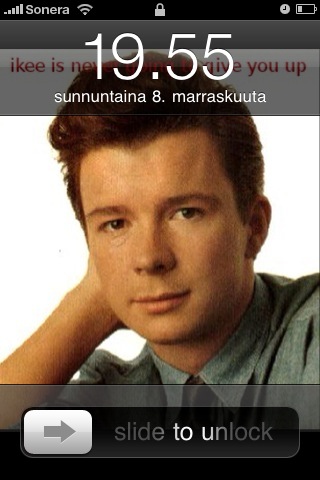
This happens because your iPhone will try to reconnect to WiFi in the background. The scenario is that you get on an airplane to go somewhere. While on the airplane, your phone STILL IN YOUR LUGGAGE tries to connect to "gogoinflight" airplane WiFi service. Some other phone, also in its owner's luggage, likewise connects to the hotspot. That phone is infected with the worm. The worm will search out all iPhones, finds yours, connects using the password "alpine", and infects your phone. When you land and look at your phone, it has a background picture of Rich Astley.

Preventing infection is easy. The way I did it was to use the SSH client "Putty" on my Windows machine. I connected to the iPhone, and used the 'passwd' command-line program to change the default. You have to change the password for two accounts: "root" and "mobile".

Below is a screenshot of me changing the password. The screen doesn't show the passwords, but I've typed in "alpine" for the initial logon, and then when it asked me to choose a new password, I typed "letmein".**


** Of course that's not my password, but I'm not going to tell everyone my real password, am I?

** The new worm changes the password to "ohshit".

Sunday, November 08, 2009

Brazil outage NOT caused by hackers


I just got through watching the CBS 60 Minutes special on cyberhackers, where they claim that major power outages in Brazil (in 2005 and 2007) were caused by hackers. This is unlikely to be true.

Wednesday, November 04, 2009

Windows 7 includes soft-ap


All Windows 7 machines can become a wifi access-point, routing the connections over Ethernet or even over a client station connection on the same wifi adapter. This Slashdot article mentions this, but gets the facts slightly wrong (claiming that it's incomplete and that you need extra software). Instructions for doing this are below.

This is going to be bad, causing rogue access-points to proliferate in companies.

CONTEXT

Technically, this isn't really new. You could always setup ad-hoc wifi and connection-sharing, which is almost he same thing. Also, it's already possible on Mac OS X, Linux, Windows Mobile, and iPhones.

Yet, a full "access-point" sucks less than "ad-hoc" networking. Also, it can work over the same WiFi adapter. Thus, while you are connected to "gogoinflight" on the airplane, your friend can log onto your "buddy" access-point on your computer and share your connection.

And there is increasing reason to do this. On my last flight, I wanted to sync both my iPhone and use my notebook. I only had to pay "gogoinflight" once, but I had to keep logging in again each time I switched from one device to the other. I totally would've just enabled this feature on my notebook and synced my iPhone through a virtual access-point instead.

Note: It only supports WPA, therefore you can't make "evil twin" access-points out of this (although I bet there is a way to hack it to turn WPA off).

HOW IT WORKS

Windows 7 can create "virtual" wifi adapters based on the real adapters, with a unique MAC address and everything. This is similar to VAPs on Linux, which allows you to create one virtual adapter for logging onto an access-point, and another for running a soft-ap. The difference with Windows 7 is that it creates only a single virtual adapter for "hosted" mode -- no matter how many actual adapters you have in the system. It's called "Microsoft Virtual WiFi Miniport Adapter", with the same MAC address decremented by one.

Making it work is simply a matter of (1) configuring the SSID and WPA password, (2) configuring Internet Connection Sharing to bridge it with the network, and (3) turning it on.

WHY IT WORKS

Zune, and stuff like it.

Microsoft wants you to be able to transfer music/video from your computer to your Zune easily. This makes it easier.

It's not just soft-ap. Windows 7 allows a lot of other low-level functionality. For example, you can write applications that add custom "information elements" to the beacon and association packets sent when new wifi connection is setup. Thus, your desktop becomes not simply an "access-point", but a "media access-point".

Finally, by mandating this low-level functionality in wifi hardware drivers now, it means Windows 7 should seamlessly work with "Wi-Fi Direct" bluetooth-like functionality whenever that standard becomes solidified.

INSTRUCTIONS

STEP 0: Open a command-prompt with administrator privileges.

Click on Start menu, All Programs, Accessories, right-click on Command Prompt, select "Run as administrator"). Type in:

STEP 1: Configure the "hosted" interface:

netsh wlan set hostednetwork mode=allow ssid=Test key=letmein9

This example creates an access-point with an SSID of "Test", with a WPA password of "letmein9".

STEP 2: Configure Internet Connection Sharing (ICS)

Open up the networking control panel. Select the interface that currently has Internet connection (like your Ethernet or normal wifi), enable "Sharing", and then select the special "hosted" interface.

STEP 3: Start it

netsh wlan start hostednetwork

STEP 4: Enjoy

On your other devices (say, iPhone), connect to "Test" and give the WPA password of "letmein9".


Links:

Monday, October 26, 2009

Call Spoofing: So easy, even famous people do it!


A simple but effective call spoofing technique has hit the main stream. Former high profile Dolce & Gabbana publicist Ali Wise used a phone call spoofing service called SpoofCard to listen to her ex-boyfriend's voicemails. The service hides the phone number you're calling from, routes the call through their server, and spoofs the caller ID with any 10-digit number. Several years ago, Paris Hilton was also in the news for allegedly using SpoofCard to listen her friends' voicemails. Voicemail users that do not have a passcode prompt even for calling from their own number are vulnerable to this technique.

I tested the SpoofCard iPhone app, and using only the 'first 5 minutes free' I was able to prove that it does everything it claims. I called myself, spoofing the number with another 10-digit number, and disguised my voice using the built-in voice modifier. The choice of "man" or "woman" isn't good. I would know it wasn't a real voice... Unless I was expecting a call from the DaVinci Virus in Hackers. (But phishing scams are prime for automated messages) The call recording feature works perfectly and portably. With very little effort I had voicemail access without password prompting. The only part that didn't work as expected was routing the call through Google Voice. It came up "Unknown."

Besides listening to voicemails, there are reasons to be concerned. Two weeks ago, Elizabeth Wharton and I led a discussion at the Atlanta chapter meeting of NAISG about Identity Theft using Social Networks. One case in point I experienced personally. The attacker had already obtained the login credentials of a Facebook user in my friends list. They approached me via chat under my friend's name. They claimed that they had been mugged while on a trip to London and wanted to borrow $400 to pay the hotel bill. Since I knew the whereabouts of my friend, the attack ended there. But what if I wasn't so sure? Would a call from my friend's phone convince me? Since many Facebook users keep their phone numbers in their profile, this opens huge door for phishing attackers. Remember that Identity Theft is not attributed to one large vulnerability but rather to dozens of innocuous details displayed freely around the Internet. Being able to appear officially like they're calling from any other number may be the last piece the attacker needs to convince you to give up crucial information.

So should SpoofCard be able to continue this service? Their record shows that they've been keeping their nose clean for years, and even won the lawsuit against 123spoof.com for using "spoof" in their business name. Their website claims the most appropriate use for this tool is in places like doctors offices that want to have multiple numbers but don't want to appear confusing to the customers. While this sounds perfectly reasonable, I question whether this service is the optimal way to do that. They do not support misuse of the product, and "if there is illegal activity and we are served with a subpoena, we will cooperate with the court or law enforcement agency." It looks like for now the responsibility is still in our hands to be smart and protect ourselves with instinct and good judgment. (And take your phone number off the Internet!)

Wednesday, October 07, 2009

Peter Principle


The Peter Principle is the principle that "In a Hierarchy Every Employee Tends to Rise to His Level of Incompetence." It was formulated by Dr. Laurence J. Peter and Raymond Hull in their 1969 book The Peter Principle. Whether intentionally or inevitably, every person who is doing a great job will be promoted until they no longer have that job. The promotion is not necessarily to a more difficult job, but it is not the job the person was trained to do. For example, a management position is a different skill set than how a programmer has proven themselves.

When we apply this principle to cybersecurity, it is referred to as "The Generalized Peter Principle." It was observed by Dr. William R. Corcoran while testing hardware in a nuclear plant. He observed the tendency to continue to use what was familiar even to the point of not being useful. People want to use old devices for new problems. Take anti-virus software for example. I was recently asked "Why, if I run A/V, do I keep getting pop-up ads on my computer?" We rely on the software to "quarantine" viruses, and it does it so well that we want Adware Blocking as well. And as long as we don't have ads, we want to block Spyware. And really we want to be notified every time there's a new call to the internet. Meanwhile, the only thing it ever did very well was scan email attachments.

In the workplace, the solution is to forgo promotions in favor of pay increases, or to offer training for the new position. In software, the solution is to recognize what problems the program is actually solving, and find separate, new solutions for new problems. Avoid product creep by building a custom arrangement instead of the all-in-one quick fix.

Monday, October 05, 2009

Hack

www.ehow.com/how_2028997_draw-a-horse.html
In 2002, there was a television show released by CBS called Hack. I had never heard of it before, and when I saw on the guide that a show dramatizing hacking was playing, I got excited. Unfortunately, the show has nothing to do with infosec. After watching it for a while, waiting patiently to see some media portrayed hacking, I couldn't figure out what it was about at all. Wikipedia finally clued me in. The show is about a hack, meaning a taxi driver.

I had never heard anyone call a taxi driver a "hack." It turns out that "hack" or "hacking" has quite a few different meanings. In dictionary.com the definition I was hoping to see, "To alter a computer program," was indeed there, but it seems to be missing something. It also means "To mutilate," "To train a falcon," and "To rent a horse by the hour." And surely we hope that the word doesn't just mean "an artist who exploits his or her talents to produce mediocre work for money."

If hacking is the cornerstone of our industry, shouldn't there be a better word for it? Or maybe just better tv shows.

Friday, October 02, 2009

Hon Hai = Foxconn

In wireless scanning, you often see "Hon Hair Precision Industry Co., Ltd." show up as the name for the manufacturer of the wireless devices. I've always wondered who the heck they were. I finally got around to Googling the company name and found the easy answer: Foxconn.

All WiFi (and Ethernet) adapters contain a 24-bit manufacturer ID. These are registered with the IEEE. You can look up any ID to find out the manufacturer at the site http://standards.ieee.org/regauth/oui/.

Most of the names are obvious, such as Apple or IBM. However, some are more obscure, such as Hon Hai Precision. While Hon Hai seems to be a popular manufacturer of WiFi equipped computers, I have never heard of them.

As this Wikipedia article explains, Hon Hai is the company better known as "Foxconn", which by a recent estimate is the #132 largest company in the world. It is big contract manufacturer of computer equipment. Some is sold under their own names, such as Foxconn motherboards or Leadtek graphics cards, but they mostly manufacture stuff for other companies. Currently, they build the MacBook, iPhone, Palm Pre, and the Amazon Kindle. They make the PlayStation 3, Wii, and XBox 360. They are one of the largest notebook manufacturers that are sold under brand names of other companies like HP. (This blog post was written on a MacBook Air, made by Foxconn, and posted while tethered through an iPhone, made by Foxconn).

Many of the notebooks made by Foxconn will contain the "Hon Hai" manufacturer ID. However, a company such as Apple has tighter control over it's branding: all the MacBooks and iPods Foxconn makes contain the Apple manufacturer ID.

So, in summary, when you see in your wireless scanner "Hon Hai Precision", think "Foxconn", or more specifically "a Windows notebook manufactured by Foxconn for a different brand company like HP".

Thursday, September 24, 2009

No Downloads Barred: Net Neutrality Fight Steps Into the Ring (Again), FCC Proposals Facing a First Amendment TKO

While I am the first one to complain when a particular download is slow, a call is dropped, or an application is not available for a particular device, I don’t think to run to the government to step in and “fix it.” I run to the source, my service provider and curse at their customer service representative. If the Federal Communications Commission (“FCC”) has its way, they will be able to not only intervene, they will force service providers to give each customer or data the same treatment. Tossing aside policy, technology and other concerns, the FCC proposals strike out based on free speech principals guaranteed by the First Amendment of the U.S. Constitution.

On Monday, Julius Genachowski, head of the FCC, proposed broad new net neutrality regulations formally entering the FCC into the fight - determining which punches, blows and kicks are required to flow over internet service providers (“ISPs”). A copy of his speech can be found here. In his speech, Genachowski broadened the four FCC net neutrality pillars of network openness originally proposed in 2005 to include two additional ones - expanding the regulations to include mobile broadband providers. In the name of providing full internet access to all, the FCC will force ISPs to provide all content and services - aka, speech - equally over their networks. The FCC proposals are still in the discussion phase, but Genachowski’s outlined plan places net neutrality in direct conflict with the First Amendment to the U.S. Constitution.

On the surface “Net Neutrality” sounds good, right? The name just rolls off the tongue - who could possibly object to free and unhampered internet access for all. Problem is, the term has been tossed around for so long that the politicians, advocates and opponents have morphed it into whatever fits their argument of the day. The current general concept of network neutrality between applications, data, and traffic was first popularized in 2003 by Tim Wu, a professor at Columbia Law School. In 2005, the FCC issued its internet policy statement outlining their four basic pillars regarding broadband network neutrality. Since then, Congress has introduced numerous pieces of legislation aimed at these issues but to no avail. Each piece of legislation has died either on the floor of the respective chamber or in committee. A comparison of various proposed bills, public speeches, and even blog articles on this subject show too many “definitions” of “Net Neutrality” to keep up. To loosely quote Inigo Montoya from the Princess Bride, I do not think that word means what you think it means. As the technology of the internet has evolved, old predictions of no “bottlenecks” for the information superhighway have been proven wrong. Cheaper and never before imagined means of internet access have cropped up since the initial 2003 net neutrality debates. Who would have thought that we would stream movies and live television over our mobile phones (using the providers networks for such access).


While the exact nature of net neutrality might be hard to pin down, the language in the First Amendment is plain, the government shall not make any law abridging freedom of speech. No footnote, asterisk, or caveats. ISPs provide “speech” and thus have First Amendment rights. Granted, the speech of an ISP is different than that of an individual, but courts have determined that these rights do exist. Just as the government cannot pass a law preventing speech, compelling speech is also prohibited. A newspaper cannot be forced to carry editorials that contain objectionable content. The Supreme Court has only waded into internet/free speech issues on a few limited cases, never establishing a clear standard for First Amendment review (for detailed discussions - see Moran Yemini’s law review article on Network Neutrality as well as Randolph J. May’s 2007 journal article “Net Neutrality Mandates: Neutering the First Amendment in the Digital Age”). The Court has generally differentiated First Amendment free speech rights between a telecommunications service (think of telephone company monopolies that do not exercise editorial or other control over the content crossing their telephone lines) and an information service provider. In Brand X Internet Services v. FCC, 345 F.3d 1120, a cable modem provider was considered an information service provider. Information service providers do not have to allow their competitors to offer services over their lines. Similarly, DSL providers are considered information service providers and not telecommunication service providers.Should this standard be applied to ISPs, then the FCC proposal is in conflict with prior case law. Granted, cable modem providers have traveled a long way to get to the services offered via ISPs of today and the courts have yet to catch up.

Bandwidth is not unlimited, period. An ISP provider should not be compelled to provide content under pre-determined government requirements if providing that content causes harm to their overall systems. Shining example: AT&T 3G network popularity. Requiring (aka “compelling”) AT&T to offer all applications over their 3G network will cause the network to crash - think of trying to make a call via AT&T 3G networks while at Caesar’s casino during the BlackHat conference in Las Vegas, NV this past August. The 3G network system could not handle the call and data volume during BlackHat with constant dropped calls or other connectivity issues....and that is before the system is required to handle larger applications. Under Genachowski’s general proposals, AT&T would have to offer all applications, sacrificing service to all for the sake of a few. If AT&T determined additional 3G traffic was not in their customers best interest, then the First Amendment bars the FCC from compelling AT&T to carry these iPhone applications. AT&T is not the only mobile carrier, customers have the option to choose another carrier or a different type of mobile phone. The customer’s ultimate access to the internet (or in this case, an application) has not been barred, the customer just has to make a choice of which mobile carrier or ISP to use based on their needs.

As the debate begins on the new regulations and related proposals, the question remains: will the FCC be knocked down by the First Amendment? Until the final FCC policy takes shape, placing exact odds on the fight are premature. Legal geeks will be looking to the First Amendment as a potential knockout blow for the latest FCC proposed net neutrality regulations. Given prior case law, the First Amendment protections have the home court advantage and should beat their FCC net neutrality crosstown rivals.

Legal-E: My Views From the Bar
I am a lawyer, just not yours - My posts are intended to present issues from my point of view and are not intended to be advice, legal or otherwise.

Monday, September 21, 2009

Red flags at the doctor's office


It seems that the rampant, misguided identity theft prevention efforts have finally reached the doctor's office. I recently went in to the doctor I've seen a dozen times and was surprised to hear they now required my driver's license to verify my identity. After disillusioning myself that they would know who I was after all this time, I surrendered my license and watched them scan it. The receptionist apologized and said she didn't really know why they were doing this now. She guessed it was probably "a HIPAA thing."

Since this sounded like a total guess, I looked into it. Sure enough, it's not. The FTC has passed down the Red Flags Rule mandating several requirements health care organizations must now do to "fight identity theft." The basic gist is the office must verify the patient is the same person that is on file. While scanning the driver's license is NOT specifically required, it is a common way many offices are interpreting the requirements.

So if it's not explicitly required, can you opt out of this protection? Reports are mixed, and it isn't simple. Security expert Jennifer Jabbusch tweeted her experiences recently and finally convinced the office that she would not agree to a scan of her license on file. Other people have reported doctors refusing them services. Sherri Davidoff wrote a great post at http://philosecurity.org exploring the problems this mandate will give to people that don't drive, the elderly, and children.

So why is the FTC so misguided? A chat with my doctor about their security strategy tells me everything. They are using out of the box Vista anti-virus and no wireless network. It was a short conversation. Can we expect more from private health care offices? What security measures would be sufficient to protect the drivers license images? It is apparent that the FTC has pushed more responsibility on the private practice than they are willing or able to be responsible for. Instead they have sweetened the pot by creating a very attractive target of driver's license info tied to medical info. By storing this information, they may prevent some identity theft in the office, but they are actually encouraging identity theft in other places.

Friday, September 11, 2009

TwiGUARD tracked the HowToHack incident

I have updated the TwiGUARD analysts log with a followup on the HowToHack incident. You can find it here.

We cover the accounts that were spreading the malware links, how long the incidnet went on for, the number of possible tweets, and some information about the malware. Check it out!

Tuesday, September 08, 2009

Tweet Theft Spam

I’ve been playing around with tracking spam and malware on Twitter, a project we call TwiGUARD, and have been learning new things.

Last night I was testing my TwiGUARD analysis tool and it marked a user as spam, but when I manually checked the profile, it looked legitimate. The user had some timely quotes and seemed to be a real person. Sure, it’s a real person who likes to retweet offers for free money, but who am I to judge?

Then a lightbulb went off in my head. I copied the non-spam looking posts into the Twitter search engine and found a young lady in Iowa had tweeted the exact quote an hour before. The spambot had simply stolen her tweet and copied it in order to appear as a legitimate person.

I found many other spambots who did the same thing. They simply track the top 10 “Tending Topics”, find people who replied to those topics, then steal other tweets those people have made.

Anyway, I feel like a parent who has been surpassed by his kid. I was fooled by the spambot, but my tool wasn’t.

Below are two screen shots of tweet theft I found while writing this post. It comes from parsing "#wheniwaslittle I", which is current the #1 “trending topic”. The first screen shot is the spammer (You can tell by the pleas to watch her dirty videos) followed up by a screen shot of the lass who made the original comment.


This is the spam!


This is the orginal comment.

Sunday, August 30, 2009

So use DMCA Counter-Claim!


In a recent event, it appears that the secure-boot key for the TI-83+ calculator was brute-forced, and Texas Instruments is trying to put the genie back in the bottle by sending out DMCA take down notices. Those receiving the notices are responding foolishly to them instead of filing proper counter-claims. I don't know why.

SECURE BOOT

Many devices are configured so that they will only boot a "signed" operating system. This means that the iPhone's hardware will only boot software signed by Apple, so you cannot install Linux or Windows Mobile on it.

Secure-boot is designed primarily for things that load copyrighted material, like music, videos, and games. However, it's a standard feature of hardware/software development kits. Thus, even simple things like the TI-83+ calculator support secure boot.

The TI-83+'s key was recently cracked with brute-force. This is an interesting milestone. While we have known for some time that it is theoretically practical to crack a 512-bit key, the practical achievement of that feat changes how we think of cybersecurity. That means hackers can pretend to be TI and sign their own operating system for the TI-83+ device. It has implications for everything else using 512-bit RSA keys.

Apparently, the key was cracked with a single desktop computer (dual-core 1.9-GHz) in around 73 days of compute time using software called GNFS (GGNFS+MSieve). It required a database of 52-million relations or 4.9-gigabytes, it used 2.5-gigabytes of RAM.

DMCA TAKEDOWN

TI doesn't like this. Their lawyers have been sending out DMCA "takedown" notices to everyone publishing the key, as well as anybody linking to the key.

Curiously, receivers of the takedown notice have posted "responses" on their sites that have nothing to do with the DMCA. Brandon Wilson has replied to this notice with this response. Tom Cross responds to this notice with this response.

I don't understand the purposes of these responses. They aren't proper "counter-notices" under the DMCA. They have no effect. The lawyers who receive them don't care. They have no impact on publicity. It's like sending a letter to Santa Claus that you didn't like your Xmas presents. It's like yelling at your car when it breaks -- the car doesn't really care. Such responses have no effect on anything.

The law is like code. Actually, the law IS code. We use computer "code" as an analogy for the original definition of code as used in law. The original DMCA notice is programmed according to a specific code. If you want your response to have an effect, it must likewise be coded according to the law.

Consider this line from the original TI takedown notice:

"I hereby confirm that I have a good faith belief that use of the Illegal Material in the manner complained of in this letter is not authorized by the copyright owner"


That line doesn't exist because the sender wanted it to be there, it exists because the law [512(c)(3)(A)(v)] requires such a statement. It's code.

COUNTER-CLAIM

You have to respond in the same code. Simply assert that the material was taken down in error, and that you consent to the jurisdiction of the local federal courts to decide the matter, and that you'll have to put the content back on your site within 14-days. Here is an example counternotice from ChillingEffects.org. They have a automatic counter-notice form here.

This situation is a bit more complicated than that. The original takedown notices are in error. It's not like TI sending a takedown notice to blogger.com to remove something on this blog. In Tom Cross's case, he is both the operator AND the person posting the content.

Of course, when you do this, you are asking TI to sue you. They probably won't, but it's a chance you'll be taking. They spam out a bunch of these letters without ever really caring if people comply with them or not. But here's the thing: you can't sit at home and whine about how unfair the man is. You have to be willing to stand up for what you believe in.

THE TIME AND PLACE

The place to make your arguments is in the courts. That's the only place where they will listen.

In your discussions with TI, they don't explain to you why they think it's infringing. They simply promise you, under threat of perjury, that they have good reasons to think so. Likewise, you don't state your reasons for believing the opposite. You simply state, under threat of perjury, that you have good reason to disagree.

Then, you both go to court and explain your reasons.

Making your arguments to TI will have no effect. They have selective deafness. If they listened to your arguments, they might believe them, and would no longer be able to, in good faith, send out takedown notices. Therefore, no matter how many e-mail you send them, they won't listen.

It's like debt collectors (which many in this economic climate may have dealings with). Arguing that you don't owe them anything doesn't work, they don't care, they aren't listening. But can simply tell them that you believe (in good faith) you don't owe them any money. They then have to stop calling you (according to the legal code) and address the issue in the courts.

I AM A BASTERD, NOT A REVOLUTIONARY

I don't like the DMCA. I'm not going to cave to the man like this. I don't think these links infringe copyright. I don't know the link these guys were asked to take down, but I believe it is "http://www.unitedti.org/index.php?showtopic=8888" (or maybe this link to the older Google cache of that page). Therefore, TI may be sending a message to Google in the near future asking them to take this down. If they do, this will be my counter-claim (to Google/Blogger):

In regards to the material at "http://erratasec.blogspot.com" removed by you pursuant to 17 U.S.C. Section 512. I have a good faith belief that this material was removed or disabled in error as a result of mistake or misidentification of the material. I declare that this is true and accurate under penalty of perjury under the laws of the United States of America.
For the purposes of this matter, I consent to the jurisdiction of the Federal District Court for the judicial district in Northern Geogia. I also consent to service of process by the person providing notification under Section 512(c)(1)(C) or that person's agent. However, by this letter, I do not waive any other rights, including the ability to pursue an action for the removal or disabling of access to this material, if wrongful.
Having complied with the requirements of Section 512(g)(3), I remind you that you must now replace the blocked or removed material and cease disabling access to it within fourteen business days of your receipt of this notice. Please notify me when this has been done.
I appreciate your prompt attention to this matter. If you have any questions about this notice, please do not hesitate to contact me.

Sincerely,
Robert David Graham
robert_david_graham@yahoo.com

Friday, August 28, 2009

Intel’s Atom vs. Cybersecurity


Intel has two new exciting CPUs: the low-powered "Atom" and the fast "Nehalem" aka. Core i7. I thought I'd cover some points related to the Atom processor.

WHAT MAKES IT DIFFERENT

The Atom sacrifices performance for power efficiency. It's roughly 1/10th as fast as the fastest desktop processor, but consumes 1/100th the electrical power.

It's a completely new design. Intel's current processors (like the Nehalem/Core-i7 and the Core2) are derived from the line of processors first shipped in 1998 as the "Pentium Pro" or "P6". The major difference in the designs is that the mainstream processors are "out-of-order", whereas the Atom is "in-order/hyper-threaded". That means for single-threaded applications, the Atom is roughly half as fast in comparison.

The major competitor to the Atom is the "CULV" or "Consumer Ultra Low Voltage" processors from Intel. You'll see equivalent netbook/notebook designs from manufacturers like Asus, Acer, or MSI that look otherwise identical except for the processor: either a 1.6-GHz Atom or a 1.4-GHz Core2-Solo/CULV. Because of the in-order vs. out-of-order, the single threaded tasks will be half as fast on the Atom machines. On the other hand, in applications that can take advantage two threads, the Atom machine is just as fast the CULV machine.

DISPOSABLE COMPUTING

In my pentests, I need computers that I can damage, lose, or deliberately throw away. The Atom forms the basis for more cheap $200 "netbook" computers. This is less than our hourly consulting rate, so fits the bill perfectly.

These are great for "wired" assessments, where I'm running tools like Nessus to scan behind the firewall or sniff packets from a (100-mbps) connection.

These are even better for "wireless" assessments, where I need to leave a computer outside a building scanning, or setting up an "evil twin" to trick employees. Maybe somebody will have discovered the computer and taken it, maybe it gets rained on -- it's only $200, so it's not a big deal.

The devices are also extremely small and portable. We can travel with a bunch of them on the plane in our carry-on luggage. They are also damn sexy: I've never been one to mess up my laptop with stickers and trinkets, but it's fun to decorate the cheap netbooks.

This story is apparently about a pentest/hack where the perp sent netbooks to an office appearing from HP, but likely containing malware.

VIRUS ANALYSIS

I'm infecting my Windows netbooks with viruses. It's pretty easy to clone a small system, infect it with a virus, then restore the cloned image.

I prefer doing this because I get a more "real" assessment of the virus. A lot of them check for VMware, a lot of them check for "known" IP addresses. I can take a netbook to a public cafe, log on there, infect my computer, then sniff the traffic with a second computer. It simulates a much more "real" environment for the virus.

LOW POWER

Like all such geeks, I have a large test lab running many operating systems and servers. These systems run 24-hours a day. This causes a large electricity bill. I've converted most of these to Atom processor systems, such as the Eee Box desktop computer (typically 15 watts), netbooks (10 watts), and I'm thinking of the Acer easyStore home server.

This is has had a noticeable effect on my server room, drastically reducing temperatures. It's a big drop from a system running over 100-watts at idle to one running 15-watts.

Note that the Atom processor itself run at just a couple watts, but the remaining chips in the system run at 10 to 15 watts. I notice that on the lowest power system I have, it's less than 1 watt difference between "sleep" mode and "password cracking" mode.

FULL FEATURE

The Atom processor line supports all the recent major features of Intel processors, such as "virtualization", "NX" bit, SSE3, 64-bit, hyper-threading, and so on.

Strangely, there isn't a single version of the processor that supports all these features at the same time. The ones that support 64-bit don't support the VT virtualization extensions (although you can still do the older form of virtualization). According to this website, a guy is running ESXi on a Dell Mini 9.

Intel has a nice site for comparing features of the Atom processor.

PASSWORD CRACKING

One of the biggest changes in the Core2 processor (vs. the older Pentium M and Pentium 4) is that the SSE instructions ran at the full 128-bit. Prior to that, while SSE registers were 128-bits wide, they would only process the first 64-bits in one clock cycle, then the second 64-bits in the next clock cycle. Thus, the Core2 represented an 2x increase in SSE speed.

That was one of my biggest questions for the Atom: is their SSE implementation like the old processors or the new processors? I couldn't find this documented anywhere, so I had to benchmark my password cracking code (which uses SSE instructions).

I assumed the worst, but was pleasantly surprised: the Atom processor executes a full 128-bits in a single clock cycle. That means that for SSE code, a 1.6-GHz Atom will be faster than a 1.4-GHz Core2-solo/CULV at password cracking. This is indeed the results that I get. Likewise, my dual-core Atom 330 system (Eee Box) is as fast as my dual-core MacBook Air 1.86-GHz Core 2 Duo (faster, even, because the cooling often kicks in throttling the CPU).

Note that the processors require different optimizations. The Atom requires a very simple code that can be easily hyperthreaded. The Core2 requires manually interleaving two streams of instructions that run in a single thread.

Since 100% CPU usage is roughly the same electrical power usage as 0%, I leave password cracking running in the background on Atom servers.

SMALL DEVICES


These netbooks use close to the same power as other devices in my home. My WRT54G uses 8-Watts, my Acer Aspire uses 12-Watts (picture on right) with screen turned off and battery removed (while running password cracker at 100% CPU). The WRT54G is a WiFi access-point/router from Cisco that is famous for hackers replacing the firmware with their own special Linux distros. With only 4-megs of flash and 16-megs of RAM, it's much more limited than netbooks that start at 4-GIGS of flash and 512-megs of RAM.

You can install "soft APs" to convert a netbook into an access-point, and install other goodies like intrusion-detection systems and firewalls. While they are far from perfect, they can make nice little home devices.

X86 VS ARM

In theory, RISC processors (especially ARM) should be a better solution for low-powered, highly-functional devices. There are lots of nice ARM solutions (like this wallplug computer or bigger devices like this one). The new ARM Cortex 9 looks extremely sexy.

Yet, these don't turn out so well in practice. These ARM devices don't work like computers I'm familiar with. I can't simply stick in a CD or USB drive, boot the machine, and install my favorite distro with my favorite developer tools. Instead, I have to install ARM cross compilers on my Linux box and go from there. It's very annoying. I'd be willing to go through the effort if I'm developing a special device to sell to customers, but I'm not willing to bother if I just want to create a device for myself. It's just easier to get a $200 netbook.

There is also some value with familiarity of the x86 instruction set. While Atom's in-order design is a radical departure from previous Intel CPUs, old rules for optimizations generally apply. More importantly, things like SSE behave the same, and work elegantly, whereas in the ARM process, multimedia instructions are a bit weird.

CONCLUSION

I like the Atom because I can now throw a cheap computer at a problem and solve it, especially my ever hotter server room.

Wednesday, August 26, 2009

The Sins of the FSF

As Microsoft launches closed-source "Windows 7", the FSF has created a website about Windows 7 Sins, detailing 7 sins that Windows makes. I thought I'd rebut their claims.


1. Poisoning education The FSF claims that Microsoft "Microsoft spends large sums on lobbyists and marketing to corrupt educational departments". Well, so does the "free-software" movement. There are unpaid enthusiasts everywhere trying to convince educational departments to move to open-source like Linux. There are also big multinationals (Sun, IBM) selling hardware/services that lobby government for laws favoring open-source. They are no more truthful about the advantages/costs of open-source than Microsoft is of Windows.

What makes Microsoft different, however, is that they listen to children. They spend hundreds of millions on usability exercises listening to children using Windows. They believe that only by listening to children can you "empower" them. On the 7-sins website, the FSF has a picture of the OLPC or "One Laptop Per Child". The OLPC was created for children by a bunch of professors, but was made without any user input from the children themselves. The only feedback from children are photo opportunities where children are encouraged to confirm how wonderful the system is, in a truly Orwellian fashion.

2. Invading privacy The FSF has a point here, I won't deny this one. I will point out that right now, this privacy invasion is tiny. While it's a bad principle, it's not so bad in practice.

3. Monopoly behavior The FSF claims that "nearly every computer purchased has Windows pre-installed". This is a lie. More computers ship with Linux (a "free" operating system) than Windows. The only place Microsoft dominates is the desktop. Everywhere else, from mobile phones to wireless access-points to home media devices to Internet servers, Microsoft loses out to Linux (and other operating systems). It's the "free" operating system Linux that dominates the world - it's only the desktop where Microsoft dominates.

Moreover, Microsoft is losing the war for the desktop. Computing has moved to the cloud, where Linux dominates. Less and less time is spent with applications installed on the desktop and more and more time is spent with web-based services accessible via any device, such as mobile phones.

Microsoft is in the position IBM was in the 1980s, when the world moved away from mainframes (dominated by IBM) and embraced desktop computers. Today, people are moving away from the desktop. Linux will never unseat Microsoft on the desktop - but it will become the eventual victor as the desktop becomes irrelevant. The FSF demeans itself by continuing to fight against a has-been company like Microsoft trying to undo its victory of the past; it should be fighting for new markets in the future.

4. Lock-in The FSF claims "Microsoft regularly attempts to force updates on its users, by removing support for older versions of Windows and Office". This is so not true. Microsoft does the reverse, supporting old technologies long after it becomes uneconomical to do so. Microsoft continues to support Windows NT, developed in the 1990s - as long as you pay extra for it. The only thing that stops is free support.

Even Linux deals with the fact that technology changes, and they have to remove support for older stuff from the default kernel. The 'atime' issue is one of the more amusing examples of this. If you've got an old version of Linux, and there is a problem needing to be fixed, you'll have to pay somebody to fix it -- just like Microsoft.

More amusing is the GNU public license viral "lock-in", which is more of a fight against other open-source licenses rather than a fight against closed-source.

5. Abusing standards The FSF claims that Microsoft tries to block standardization. This isn't true. I've been through numerous standardization efforts, I know how this works. Standards are driven by people who have a narrow focus on an ideal implementation, but who have little experience in the dirty practical details. In this case, they are driven by people who have never created their own word processor, but who want to tell word processing companies how to do their job. Microsoft is fighting for support of features that would be obvious to anybody who has written world-processing software, but which the standards body doesn't understand.

The Internet was created by people who created working implementations FIRST, and then standardized the implementation SECOND. Microsoft is fighting a standards process that works the other way around. Adopting Microsoft's format would be the smartest thing for the standard's body to do.

6. Enforcing Digital Restrictions Management (DRM) I agree partially with the FSF here. I believe that if YOU buy something, it should support YOUR rights. It should not support SOMEBODY ELSES rights over YOURS. On the other hand, I don't use Microsoft's Media Player - I use VLC. The media player isn't part of the operating system, it's just an application. Using Windows does not stop you from using things like iTunes or VLC.

7. Threatening user security This is another outright lie by the FSF. The history of Windows vulnerabilities is no worse than Linux. A "virus" is something that spreads among desktops - since Linux has virtually no desktops, it of course has virtually no viruses. The lack of Linux viruses doesn't mean Linux is better, it simply means that hackers go after the biggest target.

More importantly, Microsoft has become the leader in security, both in terms of how code is written (like the SDL) as well as features in the operating system (like ASLR). It is Linux and the open-source community that is catching up with Windows security, and not the other way around.

Summary The FSF pretends to claim the "moral high ground", so few question them. Yet, they are an Orwellian organization based upon the 1984 slogan that "Freedom is Slavery". While they the polar opposite of Microsoft, that doesn't make them any less sinful.

Monday, August 17, 2009

$169 Eee 900 disposable computer

At Woot.com, they are selling a Eee 900 netbook for $169 (today only, of course).

It's a limited computer, of course, but that's not the point. What makes it wonderful is that it's disposable. We use these in pentesting, leaving it behind attached to a wired network, or wifi scanning. It has an Atheros WiFi chip, which is the best under Linux for Wifi pentesting. The great thing about it is that if it's destroyed, lost, or stolen, you are out just $170. What's also cool is that you can boot from SD cards with different versions of Linux (e.g. Backtrack), for a complete set of pentest tools.

Another option, btw, is the Acer Aspire One AO751h. I saw one at Costco for $329. It also has an Atheros WiFi for pentesting. However, that unit is 11.6 inches with a full sized keyboard. I've sat in a cramped car pentesting with the Eee 900 -- it would've been much easier with that Acer unit.

I got my mom a Eee 1000he (she travels a lot) for $300. Unfortunately, she doesn't get the idea of "disposable" computer and takes care of it like it's something valuable. She keeps it in the case, even with the slip of cloth inside between the screen and keyboard. She wipes off fingerprints. In my mind, she should treat it more like I treat my MacBook Air, which has picked up numerous dents and scratches since I got it 10 months ago.

A recent episode of the series "Burn Notice" showed the main character leaving behind a netbook monitoring a network. It looked like a product placement and was not material to the plot, but it shows the sort of thing I do with pentesting.

SQL injection not sophisticated


I was reading this news story about the recent 130-million stolen credit card numbers. The story says:
According to the Justice Department, the suspects used a sophisticated hacking technique called an "SQL injection attack"...


SQL injection is not sophisticated. It is extremely easy. A million teenage hackers around the world know how to break into websites using SQL injection.

This is the reason SQL injection is so common. The programmers who create websites believe that SQL injection is a "theoretical" vulnerability that does not endanger their websites in practice. They are wrong -- it's easy for someone of average hacking skill to exploit.

Because these programmers don't believe in the problem, SQL injection problems are wide-spread. They seem to be everywhere I look. Here are some recent examples:


The news article should have instead said "Hackers used the well-known SQL injection technique" rather than the "sophisticated" technique.

UPDATE: Dan Goodin at The Register gets it right, describing it as a garden-variety exploit. I guess that's the difference between IT press and mainstream press: for one, it's "garden-variety", for the other, it's "sophisticated".

Clear(tm) WiMax

I got the "Clear" WiMax service. Here is a quick review of the service.

As the picture shows, Speedtest.net reports that I'm getting 7-mbps and 500-kbps up with 73-ms latency. This is competitive with wired speeds. I usually get high-speed service all around Atlanta. I also get service in Portland and Las Vegas, the other two cities currently supported. I'd guess that I will get service in future cities Clear will support.

However, coverage sucks. Signal at home sucks, even though it's in the middle of the coverage area, and occasionally I don't get coverage in other parts of Atlanta. More importantly, Clear doesn't work outside of metropolitan areas.

In contrast, while my AT&T 3G is much slower, it always works -- even in unpopulated areas. If the 3G service doesn't work, AT&T's service backs off to 2G "EDGE" dial-up speeds, so I can still at least send/receive e-mail.

The reason for Clear's coverage issues is that it can't have the same coverage as mobile phones. In the case of mobile phones, a carrier will buy spectrum from the government that covers an entire city, or possibly an entire state. That means they can put up towers wherever they want to maximize coverage and connectivity. Clear's WiMax is different. They are using the 2.5-GHz "education" band. This is spectrum given away to education institutions (high-schools, universities, churches) a few decades ago. It was intended for local education TV broadcasts, but virtually no school used it. Clear has leased this spectrum for their WiMax service. This means that coverage is spotty because they need to have to nearby school license their spectrum. This means coverage is likely never going to be as good as mobile phone coverage.

The Clear service is unlimited, so I can run BitTorrent on the connection (in theory, I haven't tried it yet). In contrast, AT&T has a bandwidth cap of around 5-gigabytes. I few months ago, I left last.fm running, exceeded the AT&T bandwidth cap, and got stuck with a $500 overage bill.

Both AT&T 3G and Clear cost roughly the same. I've got two USB Clear adapters for $55/month (so two people can use it simultaneously).

I haven't done any security yet. I'll get around to cracking the baseband adapter on my adapter, and writing software for the USRP. This will probably take a while before I get around to it.

Wednesday, August 12, 2009

UN's website still vulnerable after 2 years


Two years ago today, I blogged about a defacement of the UN.org website. I noted that while they removed the defaced webpages, they had not yet fixed the vulnerability.

I checked today, and they STILL haven’t fixed the SQL injection vulnerability that led to their defacement. Hackers can still deface their website at will. Just put a quote in the ASP parameter and off you go, such as http://www.un.org/apps/news/infocus/sgspeeches/statments_full.asp?statID=10'5.


There are a couple lessons here. The first is that no matter how simple the fix, organizations like the UN cannot do it. Despite the fact a high-school intern can fix the bug in 5-minutes, the bureaucracy means that the organization must spend tens of thousands of dollars to fix the bug. A project manager needs to coordinate with external consultants. They need to plan the timeline of the change, and verify it works. They need to get agreement from various levels of management who don’t understand cybersecurity and are likely to veto the change.

The other lesson is that the cost of NOT fixing the bug is low. The UN can simply live with the problem, and clean up after every hack. The site only contains articles, it contains nothing else interesting (like private financial information). Even with such a simple and obvious vulnerability, they are unlikely to get hacked more than once or twice a year (indeed, it appears they haven’t gotten hacked for the last two years).

Together, both these things means that it’s cheaper for the UN to cleanup after each break-in rather than fix the vulnerability. At least, this is what their management feels.